
Training for Virtual Case Management
This training will guide you through everything you need to know about the My New House Virtual Case Manager role, which provides client support and case management services remotely via phone or Google Meet. The training covers how to conduct intakes, assess client needs, coordinate resources, document services, and complete follow-ups while maintaining confidentiality, accuracy, and timely communication.

❋
Before your first virtual meeting with a client
Before Your First Day of Volunteering:
You will:
Receive access to a My New House email account
Create an LAHD account
Create a BenefitsCal account
Receive access to the low-income housing database
All required links and instructions will be provided by My New House.
Meanwhile, client schedules meeting time through our website
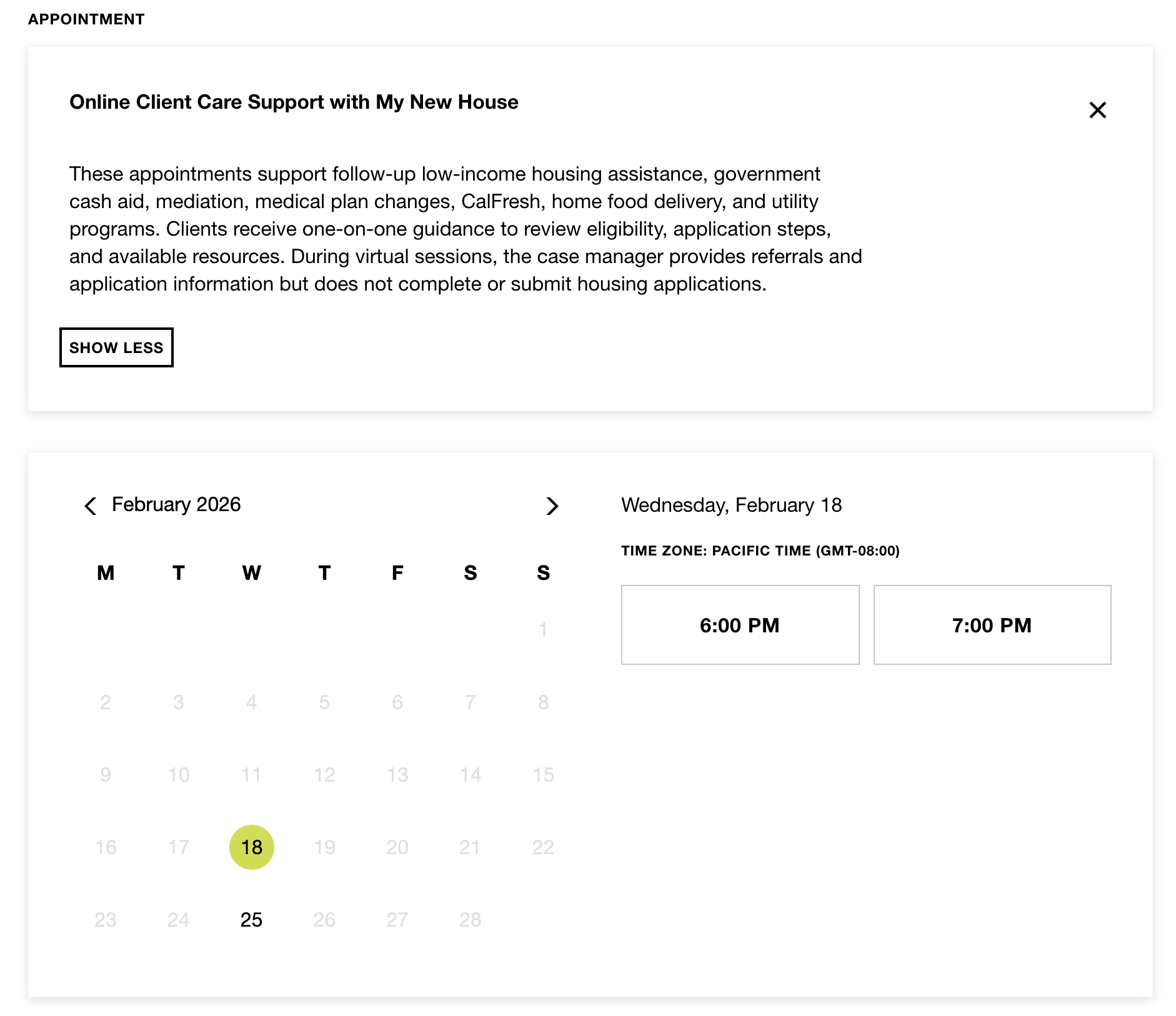
The case manager must provide monthly availability to Gaby to ensure proper scheduling and continuity of client appointments.
Client completes intake form and provides documentation.
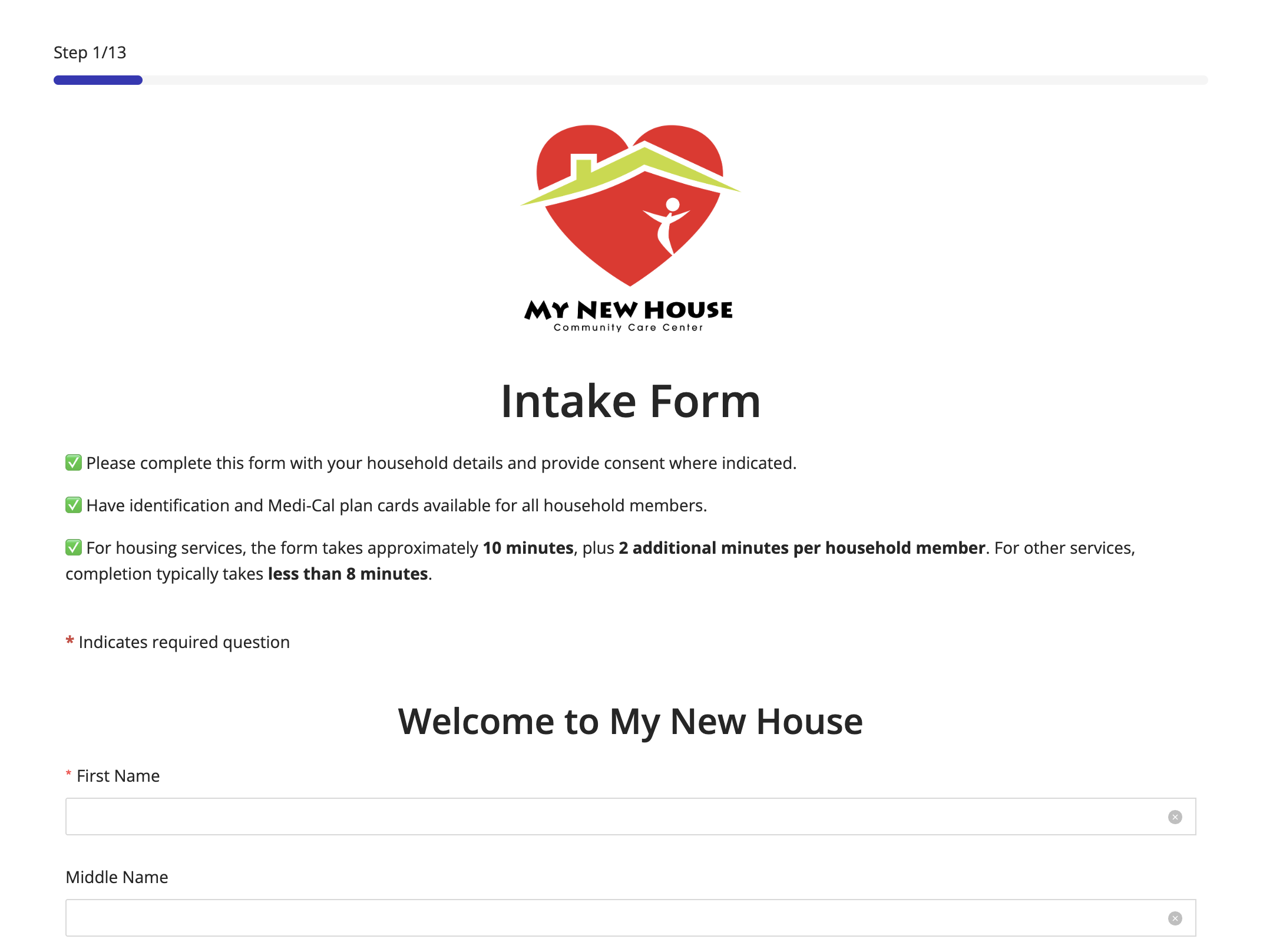
The client is required to complete an intake form, which allows case management to assess needs, determine household composition and income, and identify the services requested.
Admissions (Remote) Responsibilities
Admissions (Remote) will:
Create the client case and add all household members in Casebook
Upload identification, medical documents, and the Intake Form (PDF) to Casebook
Email the completed Intake Form and client case email to the assigned case manager
Provide both the client and volunteer with access to the virtual meeting link
Please note: Admissions (Remote) will send the Intake Form and provide access to the virtual meeting link only after the completed Intake Form has been received from the client.

❋
The Day of the Virtual Meeting
Step 1: Case Manager Preparation

The case manager reviews the Intake Form to become familiar with the client’s information and service needs.
The case manager must also ensure internet connectivity is stable, systems are functioning properly, and all necessary tools and documents are ready prior to the virtual meeting.
Step 2: Case Manager Introduction

The case manager prepares brief talking points to welcome the client, introduce themselves, and provide an overview of My New House, including the structure of the appointment.
Example structure:
“Welcome to My New House. It is a pleasure to assist you today. We are a nonprofit organization that supports individuals and families with housing, healthcare, food assistance, and other community resources. Our appointment today will last approximately 45 minutes. During this time, I will review your intake form, ask a few questions to better understand your situation, and provide you with the appropriate resources and application links for you to complete at your convenience. To begin, can you share what brought you to seek our services?”
Step 3: Client Care Support Documentation
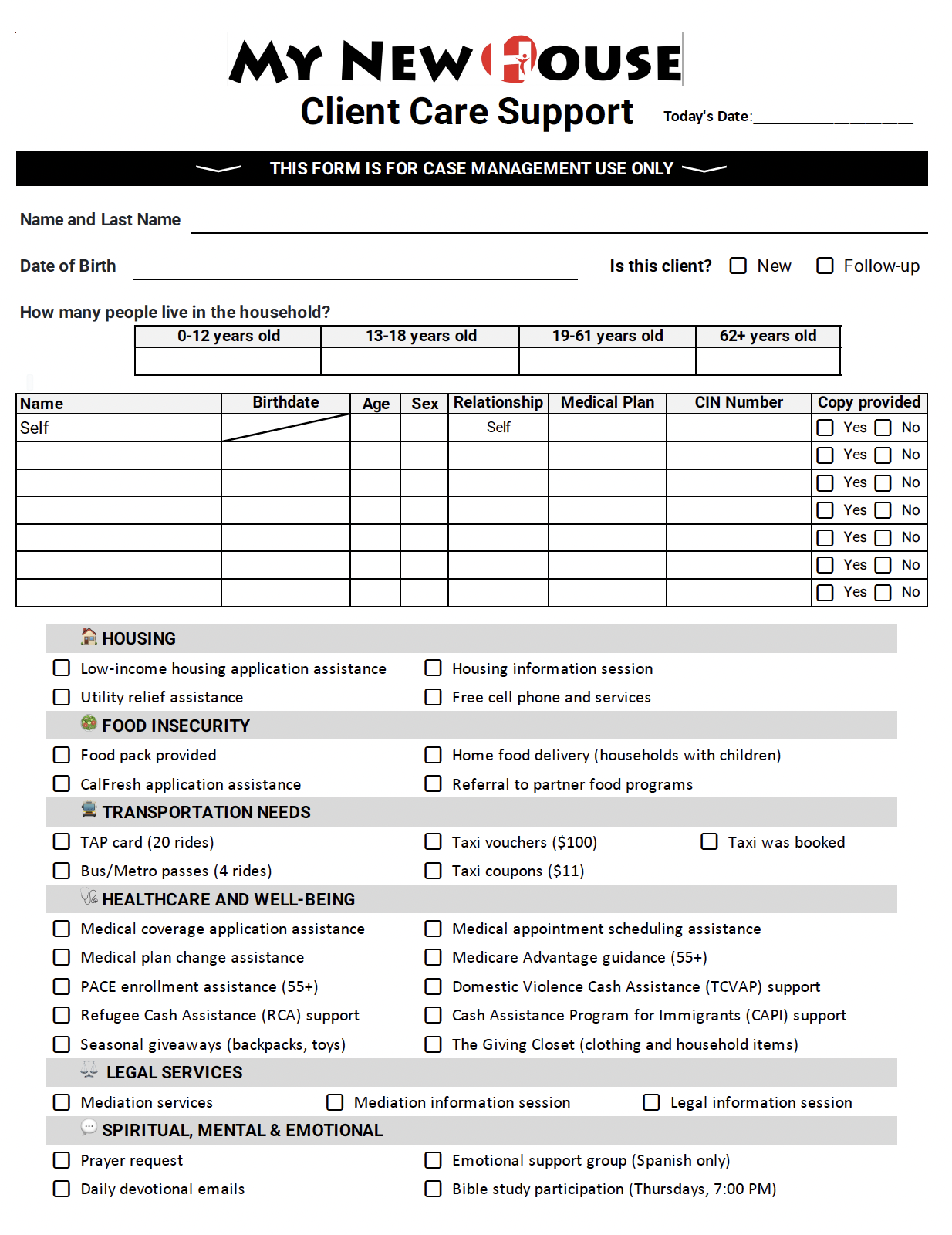
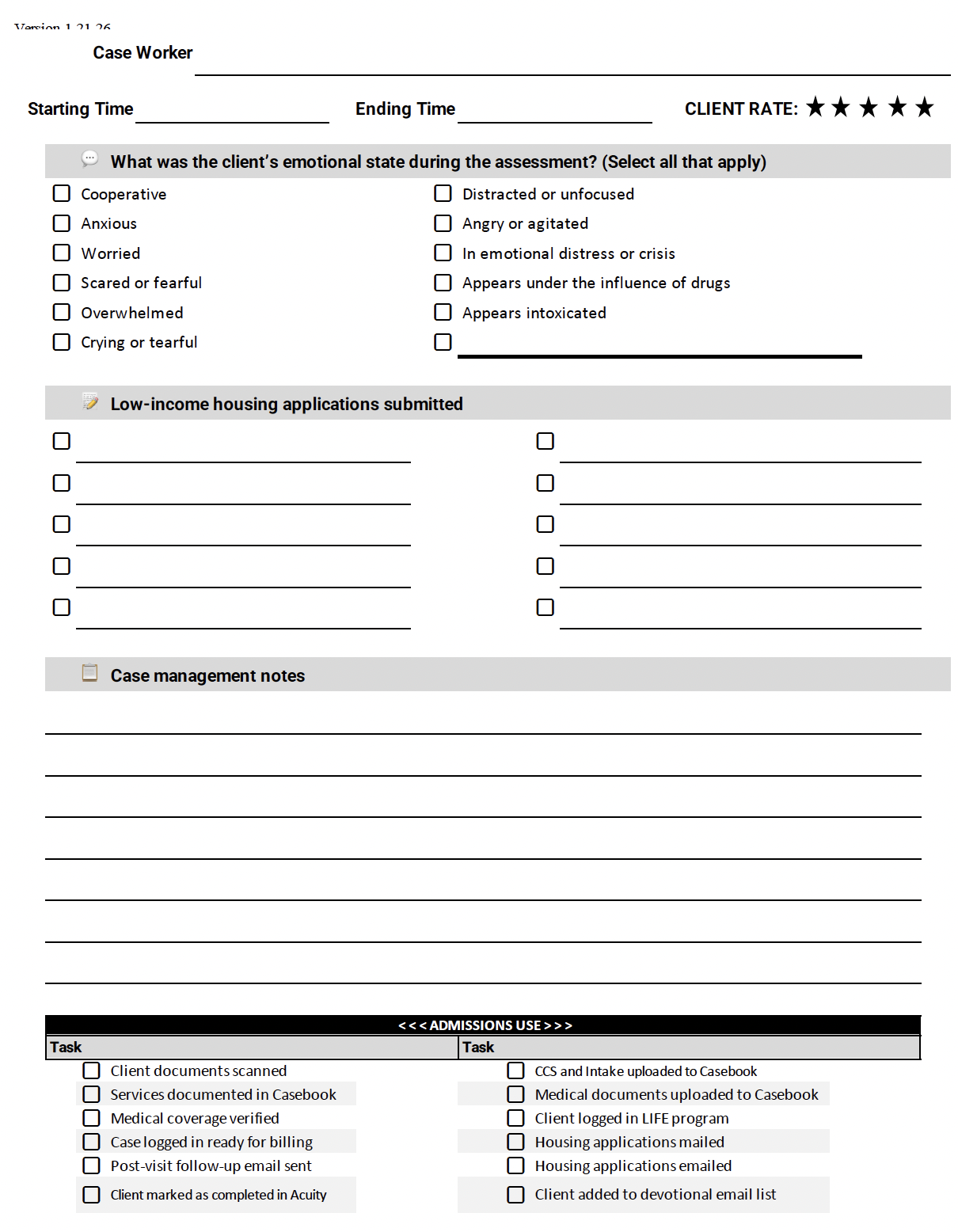
The Client Care Support Form (CCS) is an internal document used by case managers to develop and document the client’s case. This form includes the services available through My New House, the client’s emotional presentation at the time of the appointment, a client assessment rating, detailed case notes, and follow-up plans or next steps. It must be completed accurately to ensure proper documentation and continuity of care.
There are two ways to complete and submit this form:
Complete the form online.
Print the PDF form, complete it, scan it, and email it to caseworker1@mynewhousela.org after the meeting along with other documents related to this case.
We recommend case manager to have this form open while assessing the client.

❋
Services Provided by My New House
Step 4a: Review and Become Familiar with the Services You Will Be Providing
-
Low-Income Housing Application Assistance:
Assist the client in identifying properties they may qualify for based on income, household size, preferences, and eligibility criteria.
-
Housing Information Session:
If suitable housing options are not available at the time of the appointment, provide education on the different types of low-income housing programs. Instruct the client to schedule a follow-up appointment the following month when the updated housing list becomes available.
-
Mediation Services:
If a client requests mediation, provide them with the official link to submit a mediation request.
-
Mediation Information Session:
If you determine that a client may benefit from mediation services, provide information about the program and explain how it works. If the client does not request to proceed, do not send the mediation request link.
-
Utility Relief Assistance:
Request copies of the two most recent utility bills. Bills must be fully scanned (no photos or incomplete pages).
You must cc the IILA representative, info@mynewhousela.org, the client, and the case email.
-
CalFresh and Medical Application Assistance:
Assist the client in completing the application through the BenefitsCal website. Ensure all required sections are accurately completed and review eligibility criteria before submission.
WATCH a video tutorial of how to navigate BenefitsCal
Required documents may include:
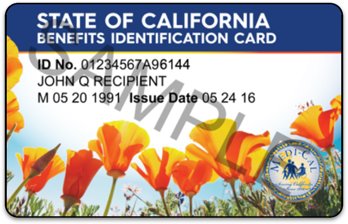
Valid photo identification
Social Security Number or ITIN
Proof of income (recent pay stubs, unemployment benefits, SSI, etc.)
Proof of address (utility bill, lease agreement, or official mail)
-
Cash Assistance Applications:
Assist the client in completing the appropriate cash assistance application through the BenefitsCal website. Ensure all required sections are completed accurately, verify supporting documentation, and review eligibility criteria prior to submission.
This includes support for:
Domestic Violence Cash Assistance (TCVAP)
Refugee Cash Assistance (RCA)
Cash Assistance Program for Immigrants (CAPI)
-
Medical Plan Change:
Review the DHCS website to determine which Medi-Cal managed care plans the client is eligible to switch to. If the client wishes to change to the Molina plan, an in-person appointment is required, as a signature must be obtained to process the request.
For DHCS website, complete the client information. For social security number, use 0000 [zero four times]
-
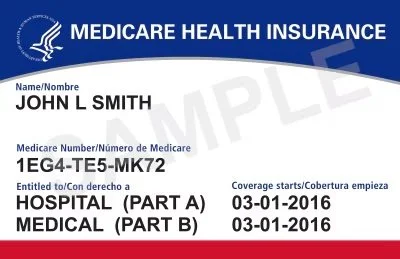
Referral to Medical & Medicare Specialist
If a client requests enrollment assistance or information regarding Medicare or specialized senior health programs, the case manager must refer them to Renata, our Medical and Medicare Specialist.
This includes referrals for:
Medicare Advantage guidance (55+)
PACE enrollment assistance (55+)

❋
Walkthrough for Services Provided Virtually by My New House

Utility Relief Assistance
Low-Income Housing Application Session and Assistance
Mediation Services and Information Session

Medical Plan Change
Where creativity meets clarity, and vision meets action.
We believe in doing things differently—with intention, with passion, and with people at the center of it all. Every detail here reflects that mindset.
Medical Plan Change:
Where creativity meets clarity, and vision meets action.
We believe in doing things differently—with intention, with passion, and with people at the center of it all. Every detail here reflects that mindset.
CalFresh, Medical and Cash Aid Application Assistance
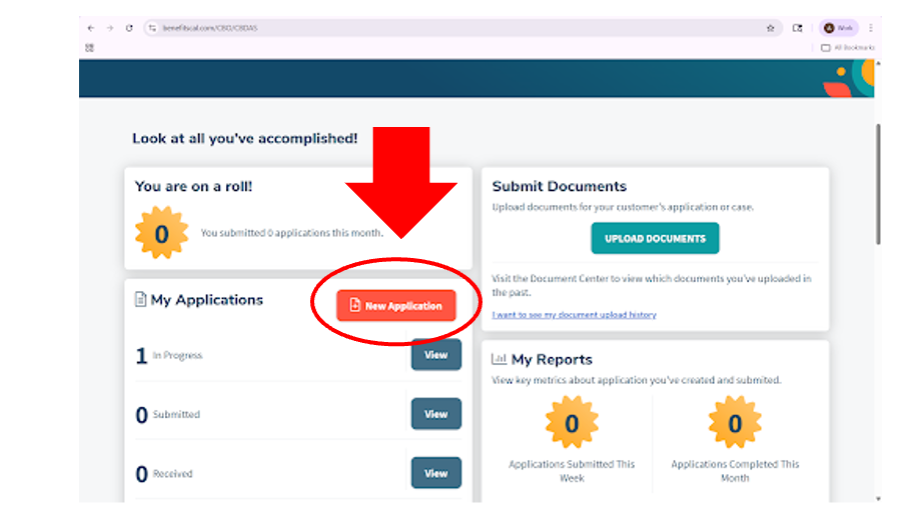
After logging In to BenefitsCal, click on the “New Application” button as seen below to start a new application. Afterwards, it will line up with the video, starting at 0:32 seconds.
Step 5: In-Person Services Only
The following services are not available through virtual appointments. Clients must schedule an in-person appointment through our website under the Appointments section.
Services requiring an in-person visit include:
Free cell phone and related services
Seasonal giveaways (backpacks, toys, etc.)
The Giving Closet (free or low-cost clothing and household items)
Transportation
Additionally, first-time housing clients or clients who need assistance completing housing applications must schedule an in-person appointment.

❋
Post-Appointment Responsibilities
Step 6: Client Care Support Form Submission

The case manager must complete and submit the Client Care Support (CCS) form, copying the client case email. Ensure all notes are finalized and that every property link provided to the client is clearly documented.
Case Management Notes:
Client Information – Name and emotional state during the visit.
Reason for Visit – Presenting concern and requested services.
Assessment – Key needs identified (housing, income, medical, household status).
Services Provided – Applications completed, referrals given, resources shared.
Follow-Up Plan – Next steps for client and case manager.
Example of a case management note:
It was a pleasure to help Juan who shared that he is worried because he cannot find affordable housing for his family. He works full time but is currently sleeping in his car, while his wife and children are staying at a friend’s home. He came to request help with housing, a medical plan change, and mediation services.
I provided him with the SYZ low-income housing link to apply, changed his medical plan to LA Care, and gave him the link to request mediation.
At this time, no follow-up appointment is needed unless he contacts us again for additional housing support or other services.
Step 7: Follow-up email to client

Send a follow-up email to the client, copying caseworker1@mynewhousela.org and the client case email. Include pleasantries, all links, resources, and information discussed during the appointment, and thank the client for the opportunity to assist them.

❋
Virtual Case Management Meeting Guidelines
1. Grace Period:
Allow the client a maximum of 5 minutes after the scheduled start time. If the client does not join, attempt to contact them by calling (you may block your number if needed) or send a follow-up email.
2. If the Client Becomes Emotional:
If the client begins to cry, allow them a moment to express their emotions. After giving them sufficient time, gently guide the conversation back to the purpose of the meeting.
3. If the Client Becomes Disrespectful:
Maintain professionalism at all times. If the client becomes verbally aggressive or inappropriate, calmly end the meeting and document the incident. Notify the team by email immediately.
4. Seek Support When Needed:
If you encounter a challenging situation or are unsure how to proceed, contact:
Aryan for housing,
Jamesha for case management,
Gaby for transportation,
Zuzu for mediation, and
Zorayda for guidance or general questions.
Additional Best Practices:
Ensure your camera, audio, and internet connection are working before the meeting.
Conduct meetings in a quiet, professional environment.
Document all interactions immediately after the session.
Do not promise outcomes—only provide guidance and available resources.
Protect client confidentiality at all times.
Stay within the scheduled 45-minute timeframe.